Chrome Create Shortcut

Aug 17, 2026
967

To create a shortcut from Google Chrome browser follow the below steps
1. Navigate to the website to you wish to add a shortcut from.
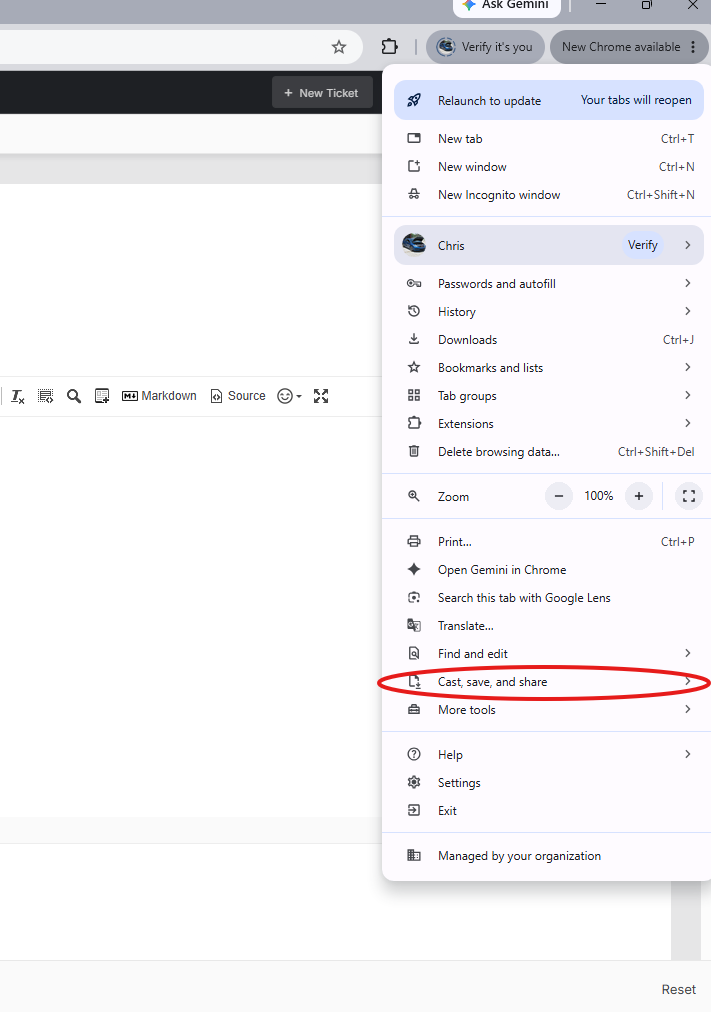
2. Click on the 3 dots (ellipsis) in the upper right hand corner

3. From the drop down menu that appears hover over the selection cast, save, and share.
4. From the pop out menu select shortcut.
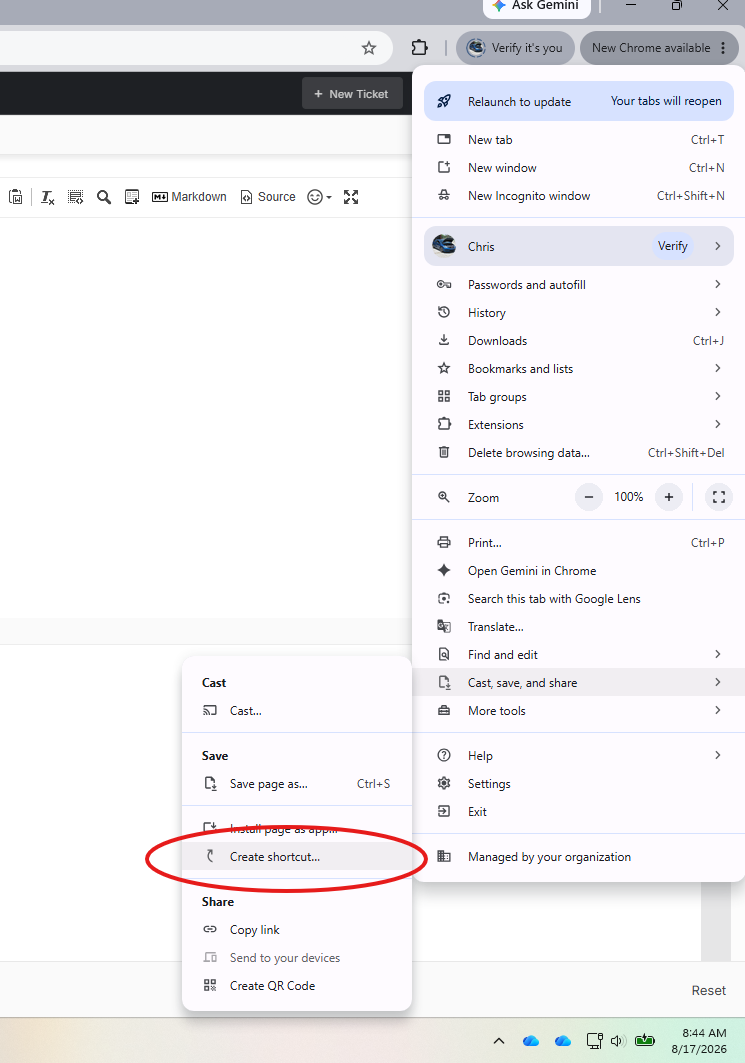
5. A menu will appear asking you to name your shortcut. Enter a name and select create.
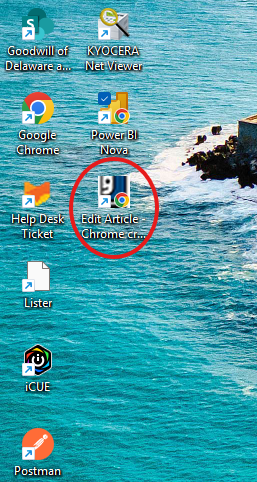
6. Your new shortcut will appear on your desktop.