


How to Connect Laptop To Opportunity Hub TV

Dec 12, 2025
 158
158
If you'd like to connect your laptop to the Opportunity Hub TV wirelessly (without having to launch a Teams meeting) follow these steps:
1) Switch to HDMI 3 on the TV
2) On your laptop, press the Windows + K buttons together for casting options
3) Select the option that starts with ScreenCast. It will look similar to this:
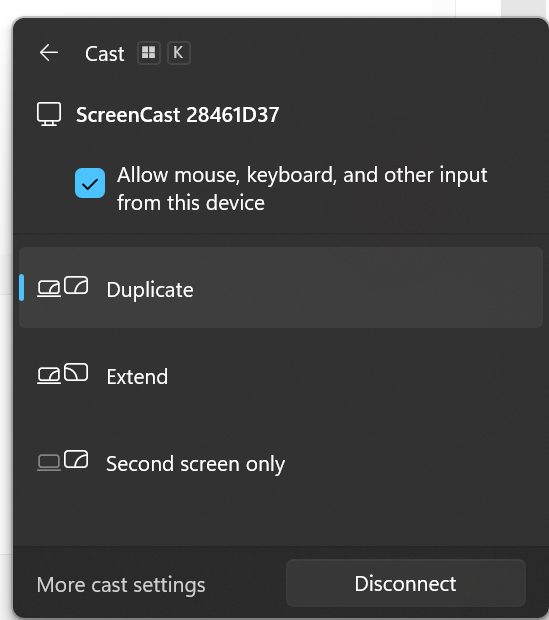
4) When you're finished, press Windows + K to disconnect

